Fast Access to Google Voice with Android Widgets

(Cross-posted from the Google Voice blog)

Mobile is all about getting super fast access to what you’re looking for and Google Voice is no exception. So, today we’re releasing an update to the Android app, which gives you immediate access to your Google Voice Inbox and settings via two new home screen widgets.

The Google Voice Inbox widget brings your most recent voicemails and text messages to your home screen. With the widget, you can now quickly flip through messages in your Inbox, and if you choose to select a message preview, it will open in the Google Voice app.


The Settings widget
gives you quick access to four handy features.

Get instant access to the full Google Voice app by clicking the Google Voice icon.


Quickly compose and send free text messages.


Change what calls to place via Google Voice on the fly. You can have your phone use Google Voice for all calls, or just some of them.


Select Do Not Disturb and all calls to your Google number will be sent straight to Voicemail.


Plus, your credit balance is displayed so you know when it’s time to add a quarter or two.

The widgets can be used together or individually, and are part of the new Google Voice app, available for download from Android Market today. To add the widgets to a home screen panel, press the menu button from the home screen and select “Add>Widgets>Google Voice Inbox or Google Voice Settings”. You will need a valid Google Voice account to use them, and Google Voice is available free to anyone in the US.


Xbox Live Subscription Price Will Increase in November

Major Nelson has confirmed that from Nov. 1, Microsoft will raise the Xbox Live U.S. price of a 1-month subscription to $9.99 (from $7.99), a 3-month subscription to $24.99 (from $19.99) and a 12-months subscription to $59.99 (from $49.99).

This means consumers will be paying 20 - 25% more for the subscriptions, depending on the length. Here are few reasons, why the cost is increasing:
A Microsoft spokesman justified the price increases by pointing to new content and services the company has added to Xbox Live over the past few years, including Facebook, Twitter, the Last.fm radio service and, in the fall, live and recorded sports events from ESPN.

Introducing our new YouTube channel for Google Mobile

By now, some of you may have noticed our new Google Mobile YouTube channel, with a fresh look that includes a video box that rotates along multiple axes (we love the Rubik’s Cube here at Google). As you click on and discover more videos, we hope you’ll have fun checking out all the ways the box can turn.

In our channel’s “featured” section, we highlight some of our mobile search capabilities -- like search by voice, sight, and location -- that really help you take advantage of your phone’s unique technology. Since we understand that these represent new modes of searching for many of you, we’re going to launch some new videos that help illustrate the variety of practical and fun ways that you can use these features. To start with, check out our “Shoot This” series of videos for Google Goggles. Goggles can actually recognize much more than just bar codes and book covers, and these videos really let you take Goggles for a test drive. You can navigate through these videos by clicking on the embedded annotations to fast-forward or rewind.

When looking at “all apps,” you can not only check out any of our latest videos at a glance, but also quickly sort them by mobile platform or by app.
We’ve also made it easier for you to share videos by email or through popular social networking sites.

We hope you enjoy trying out our new Google Mobile YouTube channel. We’ll be adding many more new videos, so please visit youtube.com/googlemobile and subscribe. Also, if you’ve already subscribed to our old channel, note that you need to subscribe to the new one separately.


Google Finance smartens up for your smartphone

(Cross-posted from the Google Finance blog)

Here on the Google Finance team, we’re always looking for new ways to help you access the finance data, charts, and reports that you need in the blink of an eye. But all the data in the world won’t help if you can’t access it when you need it most. Since many of us are on the run throughout the day and don’t always have our computers in front of us, it came as no surprise that one of users’ most frequently requested features was a fast, easy-to-use mobile website for Google Finance.

We heard your feedback and are please to announce we’ve launched the new Android/iPhone edition of Google Finance for mobile! The markets don’t stop when you leave your desk, so we’re bringing the markets to you. Our new design gives you a unified experience across desktop and Android or iPhone phones, offering nearly all the same features and functionality on both. You can easily access the new site when you do a Google search for stock tickers or company names on your mobile device, or when you tap the "Finance" tab on the Google mobile homepage.


Now no matter where you are, you can keep up with your portfolio, the latest market news, and the sectors you care about, with real time quotes and data -- all at a glance.

Prefer it in app form? Android users can also get the Google Finance app in Android Market.

As always, if you have feedback on this or other topics, please share it on our Google Finance survey or visit our Product Ideas site where you can share and vote on ideas.

For more tips and tricks on Google Finance, follow us on Twitter.

Posted by Brian Shih, Product Manager

Dive into the ocean with Google Earth for Android

(Cross-posted from Google LatLong)

Especially during the summer months, staring out into the ocean leads to daydreams of sailing the open water, freedom and exploration. Now you can take three-quarters of this vast planet - the ocean - with you on your mobile device by downloading the new Google Earth 1.1 for Android.


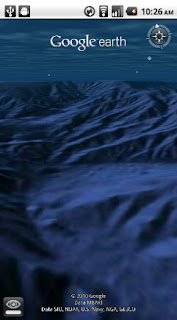
With the release of this feature, escape the hustle and bustle of life on land and discover the marine world using Google Earth on your mobile device. Now, you can check out the landscape and terrain in Monterery Bay Canyon, which is larger than the Grand Canyon, by zooming in on Google Earth below the ocean surface just off the coast. Once underwater, we can use the “look around” button to tilt the view and see the extent of this great undersea canyon.

The latest version of Google Earth for Android also introduces the “Explore the Ocean” layer, which features hundreds of photos and videos from more than 100 contributors who are excited to share their stories of sea. Plan your next vacation during your daily commute by clicking on any of the little blue icons. The gold highlighted icons represent content from the Mission Blue Hope Spot initiative.


For those of you running Android 2.2, there are some more treats in store. Google Earth now supports Flash in balloons, so if you have the Flash player installed on your mobile device, you can watch videos right in the balloon. We’ve also made the program easier to navigate; for most devices, you can now use two fingers to “look around” and change your viewpoint, as an alternate to using the on-screen button. This makes it even easier to tilt your view to see mountainous landscapes or underwater canyons. Rotating your view with a simple twist of your fingers is now available on more devices as well.

Google Earth for Android 1.1 is available in Android Market today for most Android devices running version 2.1 or later. Explore the ocean anywhere.
qrcode

Posted by Jenifer Austin Foulkes, Product Manager
Ever missed an appointment or important email because you were away from your desk? Now Google Mobile App can help with push notifications from your Google account to your iPhone -- an icon badge shows you’ve got new mail in Gmail, and Google Calendar event reminders appear right on your home screen.


We’ve also added spiffy features to get you information faster -- when looking for flight info, weather, stock quotes or currency conversion you’ll see answers before you even hit ‘Search’.


You can get the update from the App Store by searching for ‘Google Mobile App’.

If you have any questions or comments, or if you want to learn more, please visit our help center.

Update 8/24 5:00 PM PST:
  • You will only receive pop-up messages and sound/vibration for calendar alerts - new email is shown using the unread count on the Google Mobile App icon and in the apps tab.
  • To ensure you get alerts go to the Settings > Google Accounts panel inside Google Mobile App and switch on the notifications you'd like to receive. If you initially didn't allow Google Mobile App to receive push notifications when prompted, you can enable the feature again in the iOS Settings' application's Notifications panel.

Adam Reed Tucker - World's 11 Lego Certified Professional

Adam Reed Tucker Lego Certified Professional
Adam Reed Tucker, who is a real-life architect is now one of 11 Lego-certified professionals in the world, designing scale models of famous buildings and structures out of Lego bricks.

His models, including the World Trade Center, the Gateway Arch, Fallingwater and others are on display in the National Building Museum until September 5, 2011, in the exhibit, "LEGO Architecture: Towering Ambition" in Washington, D.C.

Want to see those, go and catch.
top